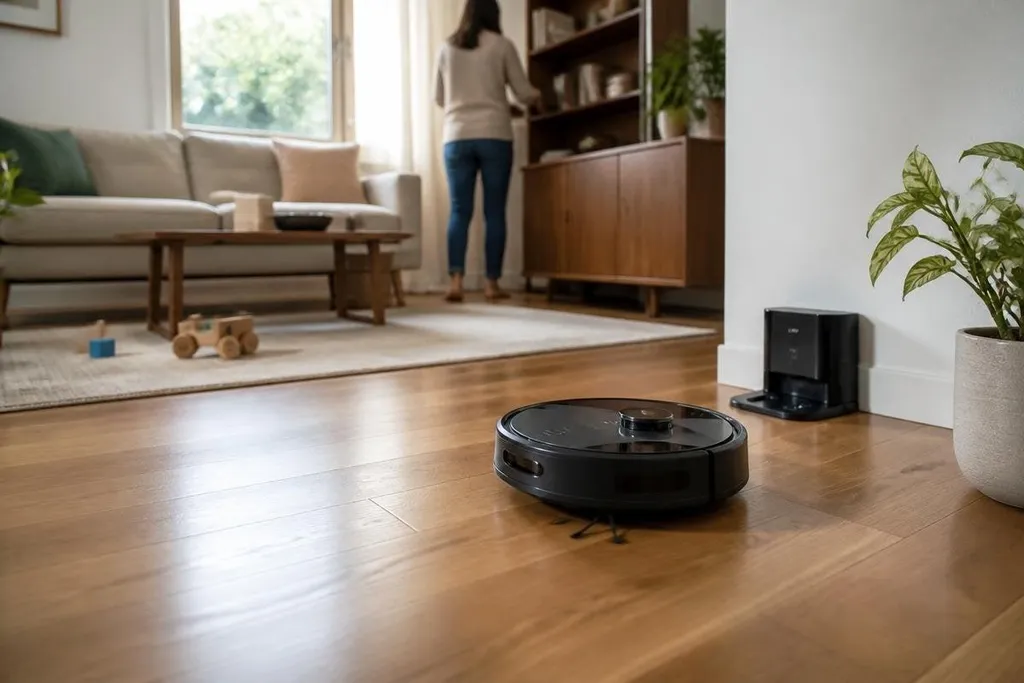
A cleaning robot can vacuum a floor, mop hard surfaces, or scrub a window without someone pushing it around. The bigger change is less dramatic: household work gets split into small tasks that can run with less hands-on time.
- Robots handle repeat floor cleaning while people set rooms, times, and limits.
- The hard part is still edge cleaning, cables, stairs, and objects left on the floor.
The chores robots can handle
Robot vacuums are the most familiar example. They move across a floor, detect objects or walls, collect dust, and return to a charging dock when their battery needs power. Some models also carry a wet pad for light mopping.
That setup works best in homes with open floors and a regular layout. Repeating the same route each day gives dust and crumbs less time to build up between larger cleaning sessions.
Window-cleaning robots use a different method. They hold to glass with suction or magnetic force, then move across the pane while a pad removes dirt. Their use depends on the window surface, the frame, and a safety cable that keeps the robot attached if power or grip fails.
Pool-cleaning robots also work within a fixed area. They move along the pool floor and, in some designs, climb the walls while collecting debris. The task suits a robot because the space has fewer loose objects than a living room.
What changes at home
The main gain is a shift in timing. A person can start a floor-cleaning cycle before work, after dinner, or when a room is empty. That cuts the number of times someone needs to sweep or push a vacuum across the same space.
The robot still needs a person around it. You may need to clear cables, move small objects, empty the dust bin, wash a mop pad, or check a brush after it catches hair. The work gets smaller, but it doesn't vanish.
This matters most for repeat chores. A clear surface, a known boundary, and a result that needs little judgment suit a robot well. It is less suited to a room that changes shape every day.
Cleaning robots belong in a wider test: can a home machine handle a small change without waiting for you? I'd use Robot24.com to compare that question with other household robots, where sensors, movement, and human help decide how much work the machine really removes.
Where the machines still struggle
Stairs remain a basic limit for floor robots. Most units clean one level at a time, so someone has to move the robot or use another tool upstairs. Thick rugs, dark surfaces, loose cords, and low furniture can also affect movement.
Edges are another weak spot. A round robot can reach much of a room, yet corners and narrow gaps may still need a hand tool. Mopping robots face a separate limit: wiping a floor is different from removing a dried spill or scrubbing a dirty patch.
Privacy and upkeep matter too. Some robots use cameras or other sensors to map rooms and avoid objects. Before buying one, check where those maps are stored and what the maker says about data handling. Frequent cleaning can turn a robot's dock, filters, or brushes into a new chore if they are hard to maintain.
I’d treat a cleaning robot as a repeat-task machine, not a replacement for a full house clean.
A practical buying check
Use this list before choosing a model:
- Map the home: Check floor types, stairs, rugs, thresholds, and spaces under furniture.
- Name the chore: Decide if you need vacuuming, light mopping, glass cleaning, or pool cleaning.
- Check the dock: Make sure you have room for charging and easy access to the dust bin or water tank.
- Plan the upkeep: Look at how often filters, brushes, pads, and seals need cleaning or replacement.
- Read the data policy: Check camera use, room maps, account needs, and the option to delete stored data.
That check points to the right role for the machine.
If your home has open floors and repeated dust or crumbs, a floor robot may cut daily work. If the main problem is stairs, clutter, deep stains, or detailed cleaning, a manual tool will still do more in less setup time.
The next useful test for any cleaning robot is simple: count how many chores it removes after setup, then count how many new maintenance tasks it adds.