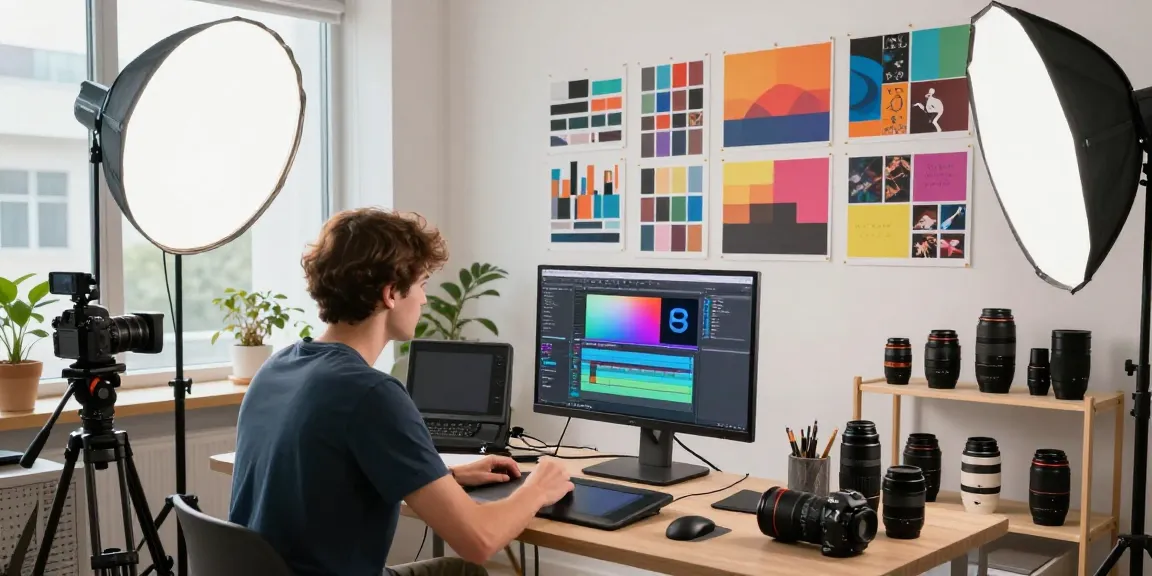
Introduction to After Effects and Color Grading
Video production has transformed dramatically with advancements in technology, making tools like Adobe After Effects integral to creating captivating visual stories. In the realm of video editing, mastering color grading has become essential for professionals and enthusiasts alike. This comprehensive guide will delve into After Effects and color grading, uncovering their significance in modern video production and how mastering these tools can elevate your content's quality. Whether you're an aspiring filmmaker, a seasoned editor, or a creative freelancer, understanding these concepts is crucial for success in today’s competitive landscape. If you’re looking for opportunities to expand your skills, consider enrolling in our After Effects and color grading workshop, designed to help you thrive in this dynamic industry.
What is After Effects and Its Importance in Video Production?
Adobe After Effects is a powerful software application used for creating motion graphics and visual effects. Its capabilities extend far beyond traditional video editing, allowing users to animate, alter, and enhance their videos in numerous ways. After Effects is essential for professionals in film, television, and online content because it enables the integration of complex animations and effects that can truly elevate the viewer's experience. In today’s content-driven world, the ability to produce high-quality videos with engaging visuals is a necessity, and After Effects provides the tools to achieve that.
Understanding Color Grading: Definitions and Benefits
Color grading is the process of altering the color of a video to achieve a desired aesthetic. While color correction focuses on adjusting colors to ensure they match across different shots, grading shapes the overall mood and emotion of the scene. This distinction is significant: effective color grading can transform mundane footage into artistic masterpieces. By establishing a specific tone, filmmakers can guide the audience's emotional response, making color grading a powerful storytelling tool.
The Role of Technology in Modern Video Editing
With the rise of digital technology, video production has become more accessible than ever. Advanced software tools like After Effects and plugins for color grading enhance creative possibilities and streamline workflows. Furthermore, the integration of artificial intelligence (AI) within editing software is revolutionizing the industry, allowing for automated processes that save time and improve precision. Understanding how these technologies work is essential for anyone looking to stand out in the field of video editing.
Getting Started with After Effects
Setting Up Your Workspace in After Effects
To make the most of After Effects, it's crucial to set up your workspace effectively. Begin by customizing your panels to fit your workflow. After Effects allows users to create personalized workspaces, which can enhance efficiency. By utilizing the "Window" menu, you can arrange panels like the Timeline, Project, and Composition panels in a layout that suits your editing style. This customization is especially helpful when handling complex projects requiring multiple elements.
Basic Tools and Features You Need to Know
After Effects comes equipped with a variety of tools that are fundamental to the editing process. Key features include the Timeline panel for organizing layers and keyframes, the Composition panel for previewing effects, and the Effects & Presets panel for applying visual enhancements. Familiarity with the Pen Tool, Shape Tool, and text editing capabilities will also empower users to create stunning graphics and animations.
Importing Footage and Initial Setup for Color Grading
Effective color grading begins with properly importing and organizing your footage. Use the Project panel to import media files, which can include video clips, audio, and images. Once your assets are imported, create a new composition to start working on your project. From there, you can begin setting up your color grading process, including adjusting exposure, contrast, and color balance to achieve the desired look.
Core Techniques in Color Grading
Color Correction vs. Color Grading: Key Differences
Understanding the difference between color correction and color grading is vital for any video editor. Color correction involves fixing color imbalances and ensuring consistency across clips. In contrast, color grading focuses on enhancing the visual style of a piece. This can include using specific color palettes to elicit emotional responses from the audience. Mastering both processes will ensure that your videos look professional and polished.
Using Lumetri Color in After Effects for Effective Grading
The Lumetri Color panel in After Effects provides a comprehensive suite for color grading. Users can employ tools such as the Basic Correction settings to adjust brightness and contrast, as well as the Creative section to apply LUTs (Look-Up Tables) for stylistic choices. Utilizing the curves and color wheels allows for precise adjustments, enabling editors to craft a distinct visual identity for their projects.
Adjusting Colors for Different Moods and Effects
Colors can evoke emotions and create atmosphere. For instance, warm tones can convey comfort, while cooler tones might suggest calmness or tension. Understanding color theory is critical for effectively manipulating mood through grading. Experimenting with different color combinations and techniques can help refine your style and enhance storytelling through visual cues.
Advanced After Effects Techniques
Combining Visual Effects with Color Grading
Once you have mastered basic color grading techniques, you can begin to incorporate visual effects for a more dynamic presentation. Combining effects such as keying, motion graphics, and 3D elements with graded footage can yield stunning results. This process involves ensuring that the effects blend seamlessly with the color palette, enhancing the overall composition and making your videos stand out.
Using Plugins and Presets for Enhanced Creativity
Plugins can significantly expand After Effects' functionality, offering additional tools for effects, transitions, and color grading. Popular plugins such as Red Giant’s Magic Bullet and FilmConvert provide specialized color grading tools that simplify complex processes, allowing for more creative freedom. Additionally, using presets can save time and ensure a cohesive look across multiple projects.
Tricks for Speeding Up Your Workflow in After Effects
Efficiency is key in video production. To streamline your workflow, consider utilizing shortcuts and creating templates for frequently used elements. Precomposing layers can also help manage complexity in projects. Organizing assets into folders within the Project panel enhances navigation, saving you valuable time during editing sessions.
Real-World Applications and Career Opportunities
Case Studies of Successful Color Grading in Films
Analyzing successful color grading in films offers insight into industry standards and techniques. Movies like "Mad Max: Fury Road" employ distinct color palettes to enhance storytelling, serving as excellent examples for aspiring editors. Understanding how these choices affect the narrative can inspire your creative decisions and lead to a more sophisticated approach in your projects.
Building a Portfolio: What Clients Look For
For freelancers and professionals, a strong portfolio is crucial. Highlighting your color grading abilities and previous projects can showcase your expertise to potential clients. Include a diverse range of work that demonstrates your versatility and effectiveness in different genres. Clients often look for originality, consistency, and the ability to adhere to specific brand guidelines.
Future Trends in Video Editing and Color Grading
As technology continues to evolve, so do the trends in video editing and color grading. Emerging tools that leverage AI will likely provide more advanced capabilities for color grading and visual effects. Staying updated on these trends is essential for anyone looking to maintain a competitive edge in the rapidly changing landscape of video production.
What Should You Expect from This Workshop?
Participating in an After Effects and color grading workshop will provide hands-on experience with industry-standard techniques and tools. Expect to learn from industry professionals who can share valuable insights into best practices. Additionally, practical assignments will enable you to apply what you've learned, ensuring you gain the skills necessary to excel in your video production endeavors.